Loading

Firfa

Categories
Project IT

Infographic Design

Mulmed - Infographic Design

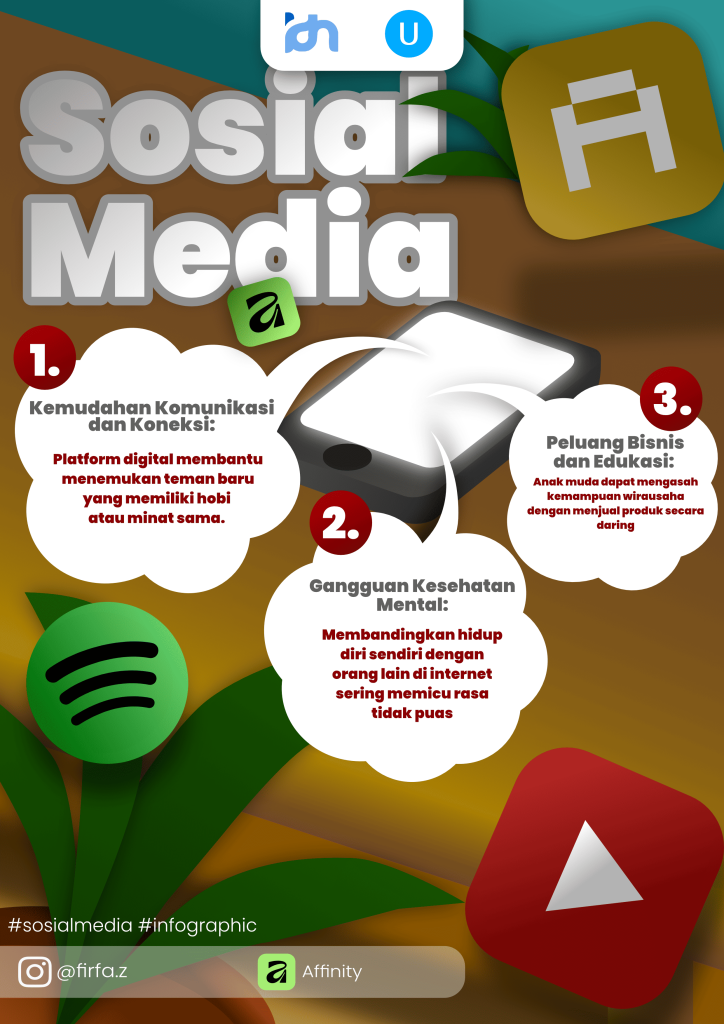
This modern infographic poster titled “Sosial Media” showcases a vibrant, 3D-inspired design crafted in Affinity. At the top, the main title features bold, clean typography layered with soft drop shadows, complemented by floating social media app icons and fresh leaf elements that give the artwork a dynamic, layered feel.

The central focal point features a stylized smartphone emitting three distinct, numbered speech bubbles that break down the core impacts of social media. The first point highlights how digital platforms ease communication by helping users find like-minded communities. The second addresses the downside of social media, warning against mental health struggles caused by unhealthy online comparisons. The third point emphasizes positive opportunities, showing how young people can build entrepreneurial and educational skills through e-commerce.

Overall, the design successfully balances aesthetic appeal with clear educational value through its rich colors, clean layout, and thoughtful composition. Finished with creator branding (@firfa.z), the Affinity logo, and topical hashtags at the bottom, it serves as a polished and engaging visual guide to navigating the digital world.

Categories
Project IT

Multimedia – Poster Design

Mulmed - Design Poster

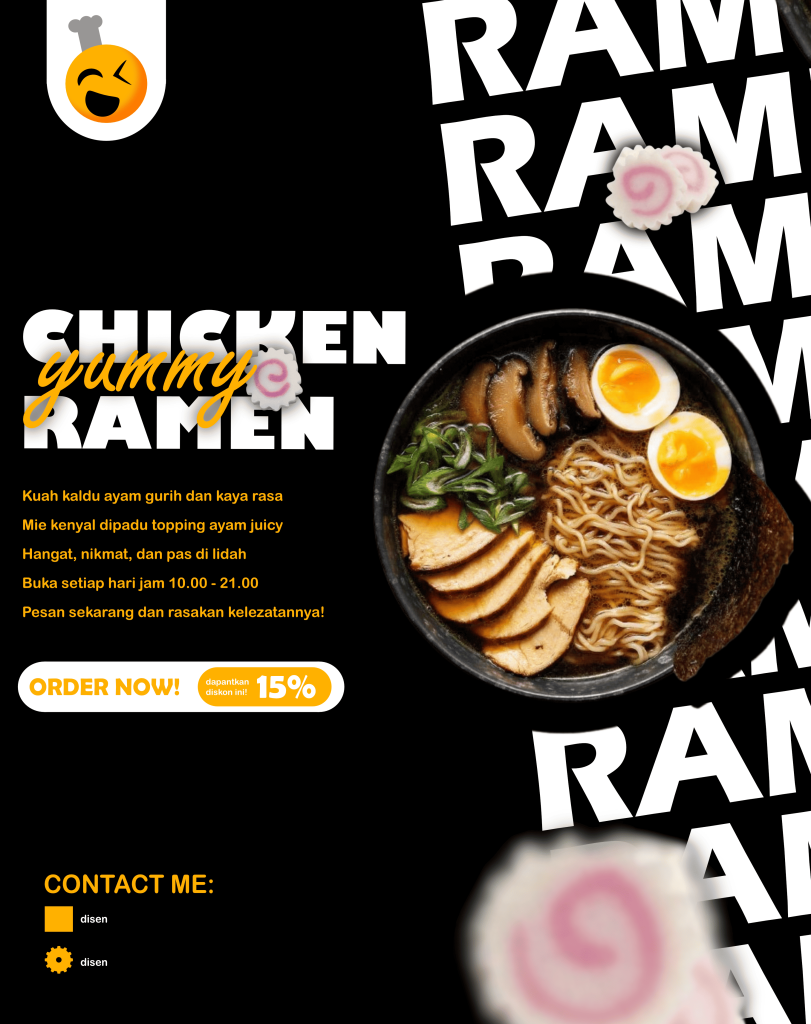
Creating this poster design took me a lot of effort to complete because I wanted every element n bowl centrally to immediately gr and dynamic angled  hierarchy to ensure the information remains clear and readable while keeping a bold food-promotional style.

The final result is a modern food poster featuring a delicious bowl o background. I am happy with how the poster turned out s, strong typography, and subtle depth effects make the artwork look eye-catching while effectively highlighting the product and its promotional details.

Adobe Photoshop (atau Affinity Photo) is the main application I used to create this artwork. It is nd they help make the layout process much more efficient. Overall, it is an excellent application for designing food posters, promotional flyers, and social media marketing projects.

Categories
Project English

Conversation

Conversation

Conversation:

hello everyone, welcome to my english project again , this conversation is talking about “Youtube or Tiktok?” In the digital era there is Social Media That is tiktok, youtube, instagram, twiter, telegram end other, but we need to explain why social media not just have 1 platform?, and the in this podcast we will explain it with ariz kayne wicaksono so or you can call him Ariz, lets watch the video beside this description !!!

Categories
Project IT

Multimedia – Illustration design

Multimedia - IIIustration Design

Creating this illustration took me several days to complete because I wanted every part to look neat and well-organized. I started by planning the composition and then drew each object one by one using vector shapes in Affinity Designer. I also spent time adjusting the colors, shadows, and perspective to make the illustration look balanced while keeping a clean and simple art style.

The final result is a flat vector illustration of a person standing in front of a large building with plants, a walkway, and a bright blue sky in the background. I am happy with how the illustration turned out because it has a clean, modern, and organized appearance. The simple shapes, smooth colors, and minimal details make the artwork look professional while still maintaining a vector style.

Affinity Designer is the main application I used to create this artwork. It is a powerful vector design software that allows me to create smooth shapes, precise lines, and high-quality illustrations. The tools are easy to use once you understand them, and they help make the design process more efficient. Overall, Affinity Designer is an excellent application for creating vector illustrations, logos, and other graphic design projects.

Categories
Project IT

IT Tutorial

IT Tutorial

Hello, my name is Umar Fir Fauzan and you can call me Umar. I’m in grade 7, more precisely 7a, and I’m 12 years old. I go to IDN boarding school and I was born in Bekasi. Now I will show you my project called IT tutorial. Here I show you how to make a code on the web called Makecode, namely the game catching fruit. Here the Tutorial is you can making compas and setting it. Want to know how fun it is to make a Code? Follow the tutorial.

Categories
Project IT

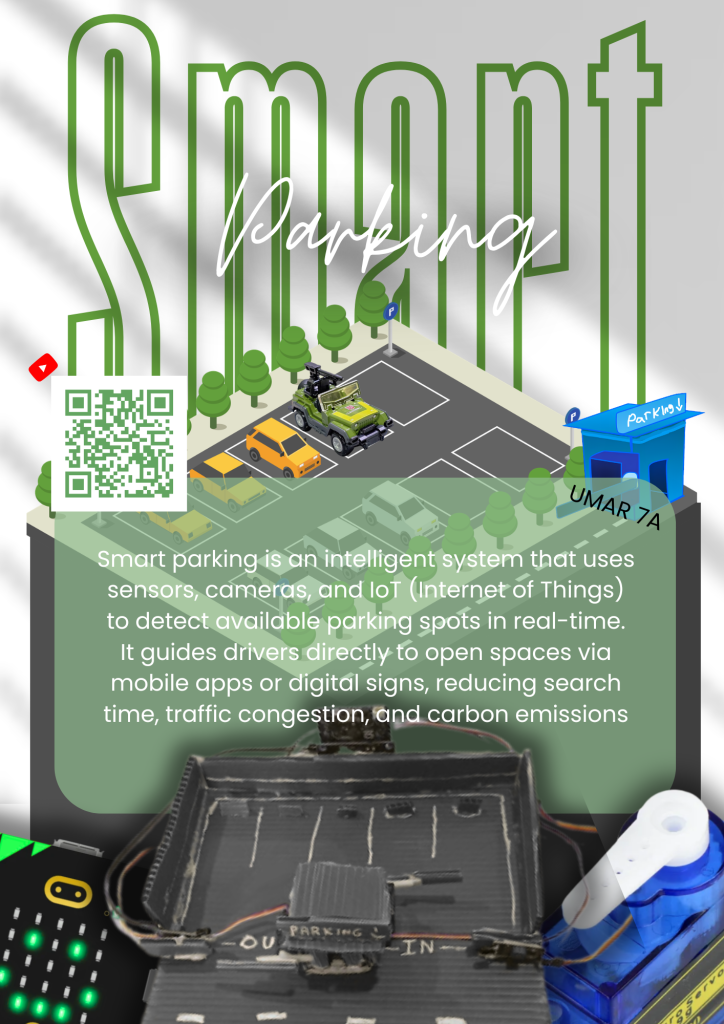
Smart Parking

Smart Parking

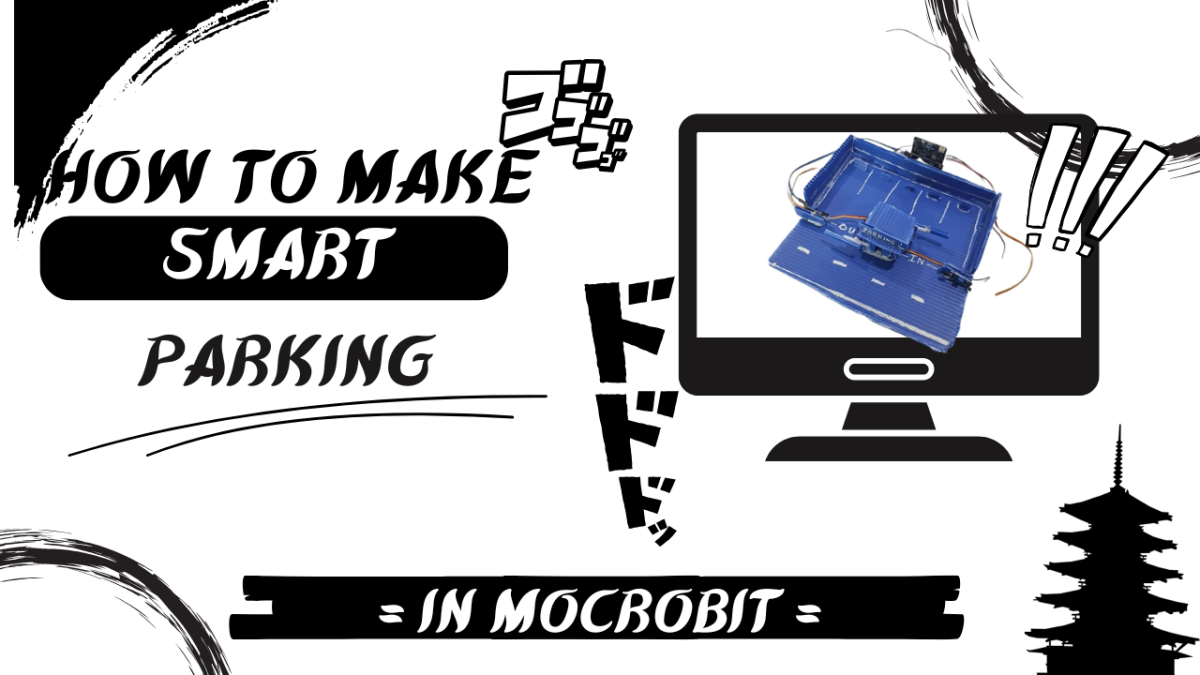
Hello Every one My name is umar fir fauzan and you can call me umar, so here is my new project and also final or last project! , so this hellping you for parkiring your car, and this just a mini version and we using microbit, servo, ir sensor and cable jumper, so when the IR sensor detect the car, he will make the servo spining, its look like opening and we can do it again whe outside and there is teacheble machine that for look how much the car parking and more in the video, maybe that all form me thank you wasalam mualaikum waroh matullahi wabaro katuh!

Video